
Atlas - Rewards Credit Card
Exto Inc.Finance
4.635.60K Reviews
- Version
- 6.4.8
- Installs
- 1.00M
- Age Rating
- Everyone
Screenshots
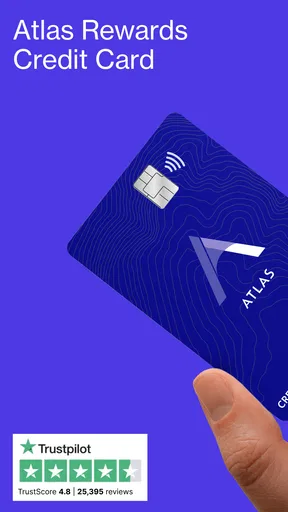

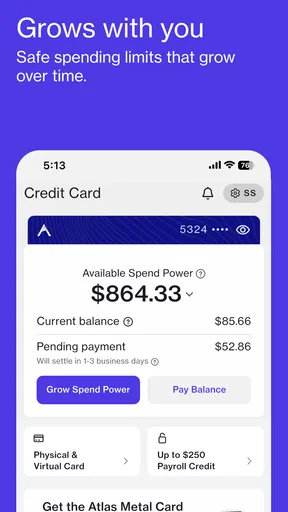
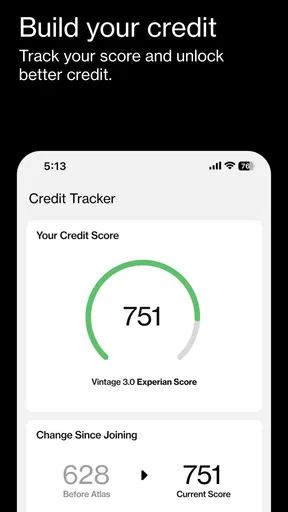
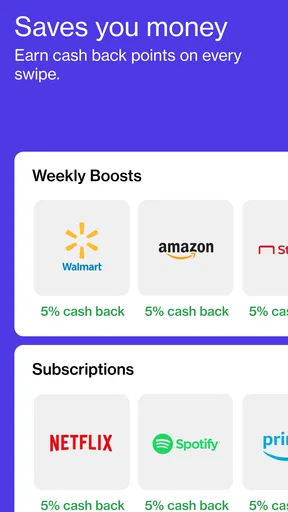
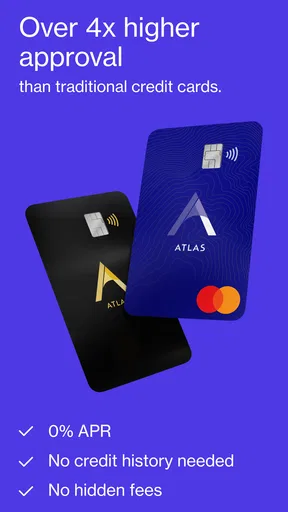
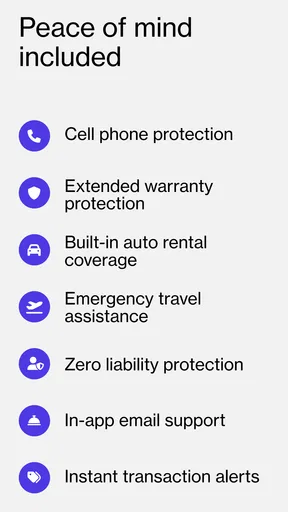
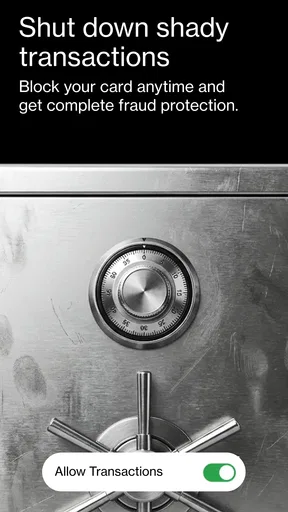
Our Review of Atlas - Rewards Credit Card
 Analysis by Appyee
Before installing a credit card app, I’d ask one practical question: will it make the routine around spending and credit easier to follow, or simply give me another screen to check? Atlas - Rewards Credit Card is aimed at people who want rewards and credit-building to sit alongside everyday card management. I’d approach it as a companion to a credit card, not as a shortcut to better finances: the useful part is how consistently you use it and keep track of what you spend.
What a first-time user should expect
Atlas is a free finance app from Exto Inc., with an Everyone age rating. It has a 4.6 average from around 103,000 ratings, and has been installed over a million times. Those figures suggest a well-used product, but they don’t tell you whether its approach suits your habits. The app’s current version is 4.8.2, and it first arrived in June 2022.
The first thing I’d keep in mind is that a rewards credit card can make spending feel more rewarding without making it less expensive. A point or other benefit is only useful if the purchase already fits your budget and you understand the card’s terms. I wouldn’t buy something just to earn a reward, and I wouldn’t treat a credit-building goal as a reason to carry a balance. Paying attention to purchases and payments matters more than chasing perks.
Getting set up without rushing
When you install Atlas, give yourself a quiet moment to review each setup screen rather than tapping through on autopilot. Use accurate personal details, read the explanations about the card and the credit-building process, and make sure you understand what you are agreeing to before proceeding. Financial apps deal with sensitive information, so I prefer to check why each requested detail is needed instead of treating setup as a formality.
Before using any credit product, I’d also decide how I’ll keep track of payment obligations. A calendar reminder or a regular check-in can help, especially if you already use several cards or accounts. That small habit is more dependable than assuming you’ll remember a due date later. If anything in the application or terms is unclear, pause and resolve that question before making the card part of your routine.
Your first useful action
Rather than starting with a reward goal, I’d begin by checking the account view and learning where the balance and transactions appear. Then, after an ordinary purchase you were already planning to make, look for the transaction and confirm that the amount makes sense. This simple first check gives you a practical feel for the app and creates a baseline for noticing activity you don’t recognize.
For example, imagine picking up groceries after work. I’d keep the receipt until the purchase appears in the account, then compare the amount and make a note of how that trip fits the week’s spending. That one small routine connects card use, transaction checking, and budgeting without turning a normal errand into a complicated financial project. If you’re using a credit card, I’d also keep repayment in view from the start rather than waiting until rewards accumulate.
Your New Financial Buddy
Let's dive in, shall we? Atlas - Rewards Credit Card isn’t just your typical credit card app. It’s like having a financial advisor right in your pocket. From the get-go, the app’s interface struck me as sleek and user-friendly. You don’t need to be a tech wizard to navigate it. Everything from checking your balance to tracking expenses is a breeze.
Rewards, Rewards, Rewards
Now, here’s where things get exciting. The rewards system is stellar. Who doesn’t love earning points on everyday purchases? With Atlas, every coffee, grocery run, or online shopping spree adds up. And redeeming these points is simple. Whether you’re into travel, shopping, or dining, there are plenty of options to choose from.
Security That’s Got Your Back
In today’s world, security is everything. Atlas doesn’t skimp on this. I felt at ease knowing the app uses top-notch encryption to keep my data safe. Plus, the real-time alerts are a lifesaver. If there’s any unexpected activity, you’ll be the first to know. It’s like having a security guard for your finances.
Budgeting Made Easy
If you’re like me and tend to lose track of spending, the budgeting tools in Atlas are a real blessing. The app offers insights into your spending habits and helps you set achievable budgets. I found myself becoming more mindful of my purchases, and that’s a win in my book.
Customer Support That Actually Cares
I had a question about redeeming points and decided to test out their customer support. Spoiler: they were fantastic. Quick, friendly, and genuinely helpful. It’s refreshing to deal with a team that prioritizes customer experience.
Use rewards without letting them lead
I’d treat points as a small bonus attached to spending I would have done anyway, not as a target to hit. That distinction sounds obvious, but it changes how useful a rewards card feels: a purchase earns a benefit only after you’ve considered its cost, timing, and place in your budget. If you’re comparing redemption choices, check the terms shown in the app and choose an option you genuinely value rather than assuming every option is equally worthwhile.
A helpful habit is to review rewards when you’re already checking recent transactions, not every time you buy something. That keeps the app from nudging you into unnecessary shopping and makes it easier to notice whether the points are actually relevant to you. If you rarely use the available redemption choices, the rewards side may matter less than the card’s everyday fit and the clarity of its credit terms.
How it fits beside other money tools
Compared with a basic banking app, Atlas is more specifically centered on a rewards credit card and credit-building. A bank app may be a better home for checking deposits, paying bills, or seeing several accounts together; a standalone budget tracker may suit someone who wants a broad picture across different cards and cash spending. Atlas makes the most sense if you want to keep an eye on its card activity and rewards in one place, rather than expecting it to replace every financial tool you use.
That distinction is useful if you already have a routine. I wouldn’t move all my money management into a new app just because it has budgeting language. Instead, I’d decide which tool is the source of truth for each task: use Atlas for the card-related view, and retain your existing bank or budget system if it gives you a more complete picture. Checking that the totals and dates line up across tools is a sensible occasional habit, especially if you split spending between multiple cards.
Where the experience can feel less straightforward
The main trade-off is that rewards and credit can make an app feel more motivating than the underlying financial decisions deserve. A polished balance screen or a points total does not tell you, by itself, whether a purchase was affordable or whether a credit product is right for you. I’d read the card’s terms carefully and judge it by the full arrangement, not by the promise of rewards alone.
Another source of friction is that a card-based view can be incomplete if you do most spending elsewhere. If you pay with cash, another card, or a different account, you’ll need to account for those transactions separately to get a realistic budget picture. In that situation, a general budgeting tool that combines more of your activity may be a better primary choice. Atlas can still be useful for its own card, but it shouldn’t be mistaken for a complete record of household finances unless it actually reflects how you spend.
I’d also avoid assuming that an alert replaces careful checking. Notifications can help draw attention to activity, but reviewing the transaction itself and responding thoughtfully is still your responsibility. For an unfamiliar charge, check the details and use the appropriate support route rather than relying on a quick glance at a notification. The best security habit is a combination of timely alerts, sensible account checks, and protecting your sign-in details.
Who is likely to get the most from it
I can see Atlas suiting someone who is new to managing a credit card and wants a straightforward place to follow purchases while building a more regular review habit. It may also appeal to a rewards-minded shopper who already pays attention to spending and wants card activity and points close together. The strongest fit is not necessarily the person who spends the most; it’s the person who can use the card deliberately and check the account without treating rewards as permission to spend extra.
I’d be more cautious if you’re trying to avoid credit altogether, find a complete dashboard for multiple banks and cards, or choose a product based on detailed terms you haven’t yet compared. If you’re carrying debt or find that easy access to credit encourages unplanned purchases, a debit card and a simple spending plan may be a healthier fit. Similarly, someone who already has a card whose terms and rewards they understand may not gain much by adding another product just for a new interface.
Make the next step a small routine
After the first transaction check, I’d give the app a short, repeatable role: review card activity after a planned purchase, glance at spending as part of a weekly budget check, and look at rewards only when you’re considering a redemption. This rhythm is more useful than opening the app repeatedly without a question in mind. It also gives you a chance to spot a mismatch early, while the purchase is still easy to identify.
Before relying on the card for regular expenses, make sure you understand how repayment works and choose a reminder system you’ll actually notice. Keep ordinary receipts when a purchase is important or likely to be hard to identify later, and compare them with the posted transaction. If you share household costs, agree on how those purchases will be tracked so the app’s card activity doesn’t become a source of confusion between people.
My practical test would be whether Atlas makes it easier to answer three questions after a week: what did I put on the card, how does that fit my spending plan, and what should I do next about repayment or rewards? If the app helps you answer those questions, it is earning a place in your routine. If you still need another tool for the full picture, that’s not a failure; it simply means Atlas is best used for its card-specific job.
Overall, Atlas - Rewards Credit Card is more than just an app; it’s a comprehensive tool for managing your financial life. From its intuitive interface to its robust security features, it’s designed with the user in mind. Whether you’re a savvy spender or just starting out, this app is worth a try. Trust me, your wallet will thank you.
Privacy and Permissions
See what permissions an app requests and how it handles your data.
- Contacts
- read your contacts, modify your contacts
- Location
- approximate location (network-based), precise location (GPS and network-based)
- Photos/Media/Files
- read the contents of your USB storage, modify or delete the contents of your USB storage
- Storage
- read the contents of your USB storage, modify or delete the contents of your USB storage
- Camera
- take pictures and videos
- Microphone
- record audio
- Other
- view network connections, change network connectivity, control flashlight, full network access, run at startup, control vibration, prevent device from sleeping, Google Play license check, read Google service configuration
Verdict
Strengths of Atlas - Rewards Credit Card
- Easy-to-use interface for tracking rewards.
- Wide range of partner stores for earning points.
- No annual fee makes it budget-friendly.
- Instant notifications for transactions.
- Customizable spending alerts for budget control.
Limitations of Atlas - Rewards Credit Card
- Limited to specific regions for signup.
- Requires good credit score for approval.
- No cash-back option on rewards.
- Customer support response can be slow.
- App can be glitchy during updates.
Similar Picks in This Category
View All
Google Wallet
Google LLC4.3

Airtel: Recharge, Bank & Loans
Airtel4.0

PayPal - Pay, Send, Save
PayPal Mobile4.2

DANA Indonesia Digital Wallet
PT Espay Debit Indonesia Koe4.5

Binance: Buy Bitcoin & Crypto
Binance Inc.4.8

Cash App
Block, Inc.4.7
Frequently Asked Questions
What is the Atlas - Rewards Credit Card app?
The Atlas - Rewards Credit Card app is a mobile application designed to help you manage your credit card account with ease. It allows users to track their spending, view transaction history, make payments, and access exclusive rewards and offers. The app aims to simplify financial management while providing valuable perks.
How do I set up my account on the Atlas app?
To set up your account on the Atlas app, download it from the Google Play Store or Apple App Store. Open the app and sign up using your credit card details and personal information. Follow the prompts to verify your identity and link your card. Once verified, you'll have full access to the app’s features.
What rewards can I earn with the Atlas app?
The Atlas app offers a variety of rewards for cardholders, including cashback on purchases, travel benefits, and exclusive discounts at partner retailers. Rewards are earned based on your spending habits and can be redeemed directly through the app. Check the app regularly for new offers and reward opportunities tailored to your preferences.
Is the Atlas app secure to use for managing my credit card?
Yes, the Atlas app is designed with security as a top priority. It uses advanced encryption to protect your personal and financial information, ensuring a secure experience. Additionally, the app features multi-factor authentication and alerts for suspicious activity, providing you with peace of mind while managing your account.
Are there any fees associated with using the Atlas app?
Using the Atlas app itself is free of charge, but it's important to be aware of any fees related to your credit card account, such as annual fees, interest rates, or late payment charges. These fees are determined by your card issuer. Always review the terms and conditions of your credit card to understand any potential costs.
